Global Actions
[Last edited 02 July 2020]
Purpose
Global Actions are a set of quick entry options that are accessible no matter what context the screen is currently in, for example you are currently viewing a matter’s trust details and you need to capture a note for another matter.
To use the note capture function you would need to navigate away from the current matter you are on and then navigate to the matter on which you wish to capture the note (or have opened the matter in a new tab).
The Capture Note Global Action button allows you to capture the note on a side panel screen without navigating away or losing the context of the matter you were reviewing.
The Global Actions are used to facilitate on-the-fly speedy capture and recording, thereby saving time for busy professionals and aiding in recording billable activities or making notes about their matters.
To use the Global Actions, click on the Wand icon (Global Actions button) next to the Megaphone icon (Announcement button) on the top right of the Menu Bar.
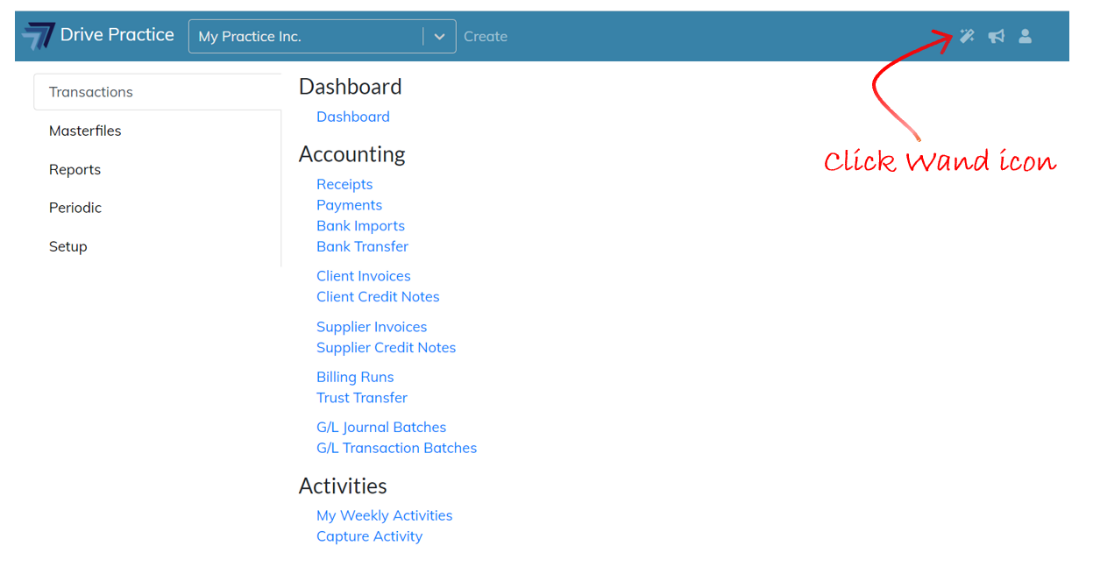
Using Global Actions
Clicking on the Wand icon will open the Global Actions menu. There are currently three options on the menu, Capture Activity, Capture Note and Timers.
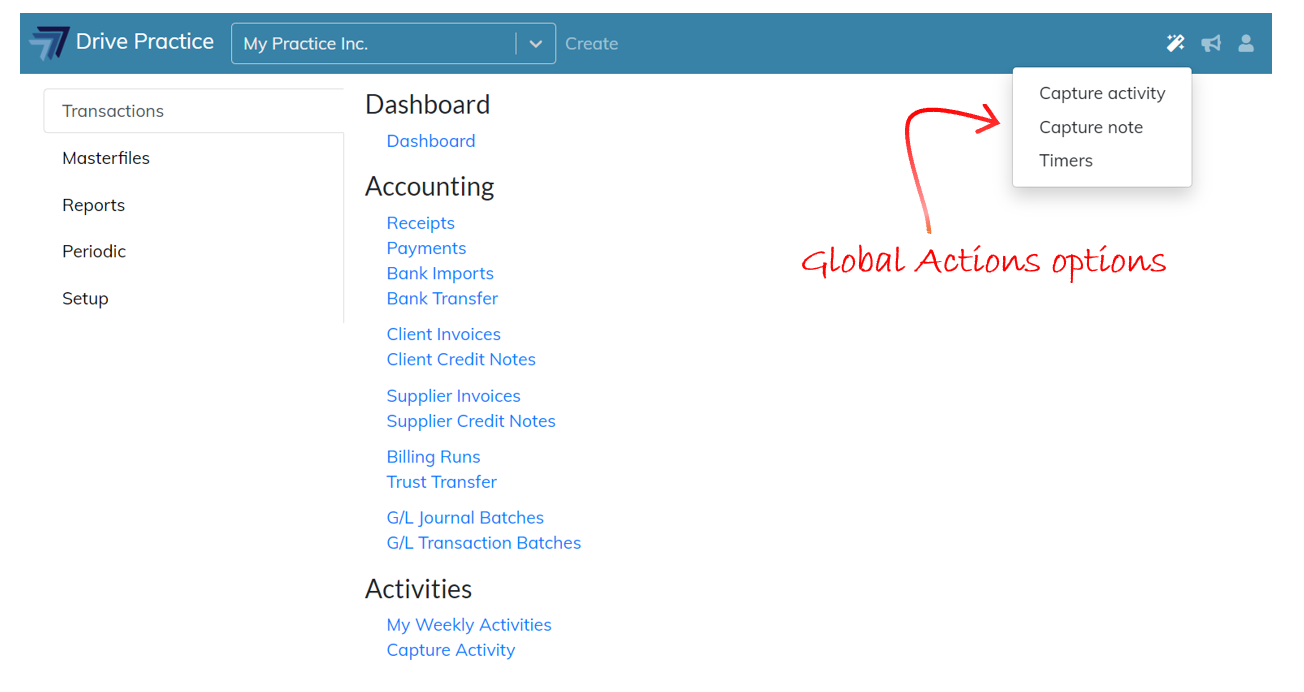
Each option when selected will open a side entry panel over the current screen. To return to the current screen, click anywhere off the side panel, or click on the “X” on the top right of the panel.