Create Account
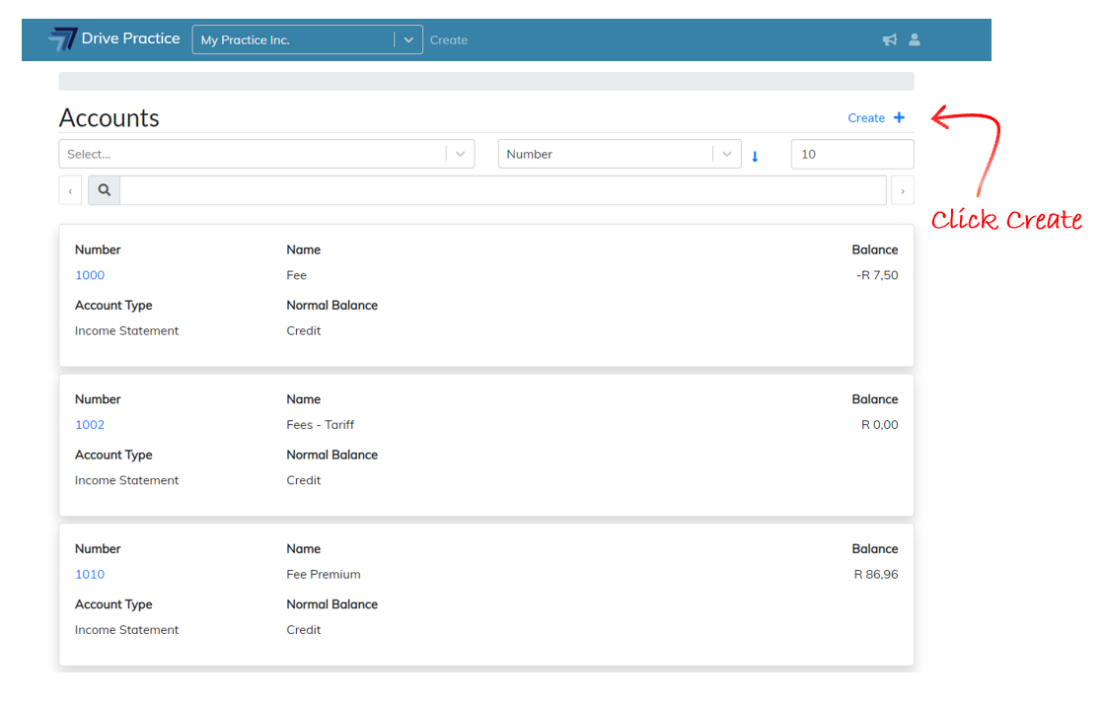
To create a new account, navigate to the Accounts list screen and click on Create on top right of the search bar.
The create account screen will open with fields that need to be populated to define the unique attributes of the new account that is to be created.
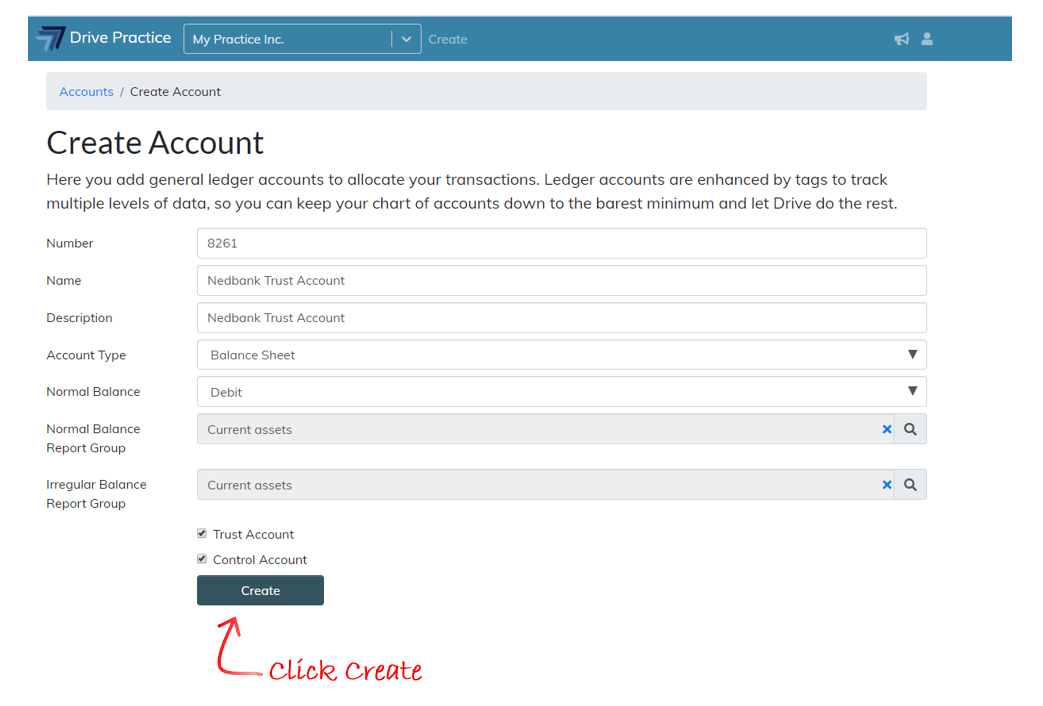
The attribute fields are described below.
-
Number
This is the account’s number. Usually account numbers are assigned in groups, for example, all Income Statement accounts are in the range 1000-6999 and the Balance Sheet accounts are in the account range 7000-9999. Within these ranges the accounts are then further ordered and sorted according to their function, for example 1000-1999 are Income, 2000-2999 are sundry income, and so on.
Account numbers can be up to 50 characters long and can be alphanumeric and contain special characters as well.
Account numbers are unique. If the account number entered for the new account already exists an error message will display, and you will not be able to create the account.
-
Name
This is the name of the account.
-
Description
This field can be left blank and is used to describe the function and use of the account in more detail.
-
Account Type
The account type field is a dropdown list field with three options to select from, being Income Statement, Balance Sheet and Retained Earnings.
-
· Normal Balance
This field is used define what the normal expected balance of the account will be, which could be either Debit or Credit.
-
Normal Balance Report Group
The normal balance report group defines which group the account is reported in on financial reports when its balance agrees to the normal balance selected.
-
Irregular Balance Report Group
Conversely, the irregular balance report group is the report group that the account will be listed in on financial reports when its balance does not fall within the normal balance selected for the account.
-
Trust Account
Use the Trust Account checkbox to indicate whether this ledger account is a trust ledger account.
Trust type accounts are only visible for selection when creating Trust Bank accounts or capturing trust type transactions.
-
Control Account
The Control Account checkbox, when checked, marks the account as a control account to which only the system can post transactions.
Once the fields have been filled in, click on Create to create the account.