Matter Notes
[Last Updated 04 June 2020]
Purpose
The Matter Notes page allows users to make notes after a phone call, meeting or action.
Making matter notes on the system will:
- provide for matter information to be easily available so that working remotely from anywhere will be as convenient as having a paper file available.
- matter information is available to all involved at the same time.
- reduce the time spent searching through various documents to obtain information.
Using the Notes Function
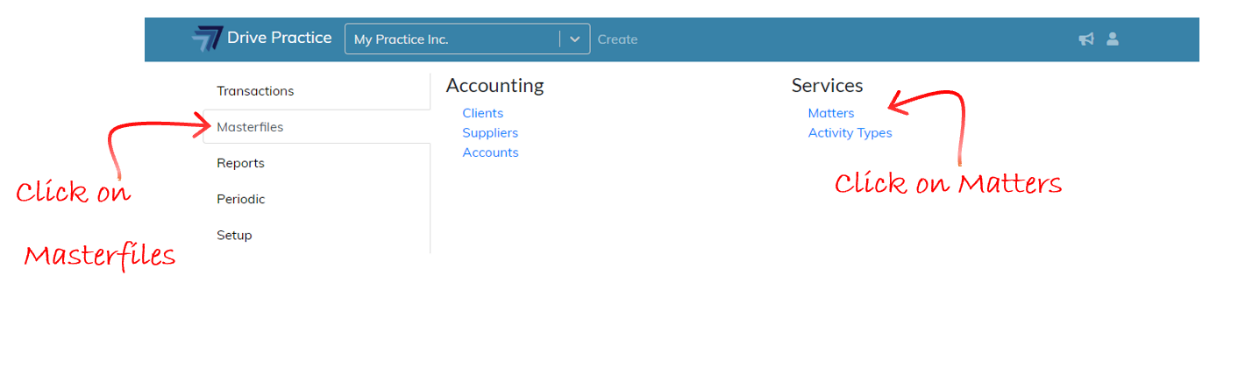
To use the Matter Notes function, click on the Drive Practice logo, select Masterfiles from the left-hand side menu bar, and then select Matters on the right in the Services menu section.
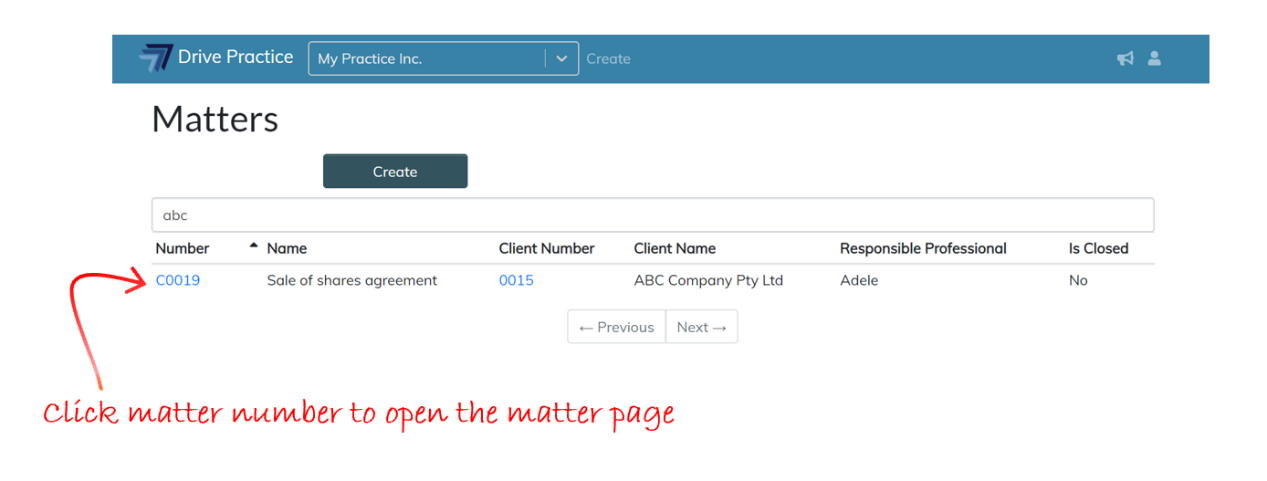
 The Matters list screen will open. Search for the Matter on which a note must be made and open the matter by clicking on the matter number in the Matter Number column on the left.
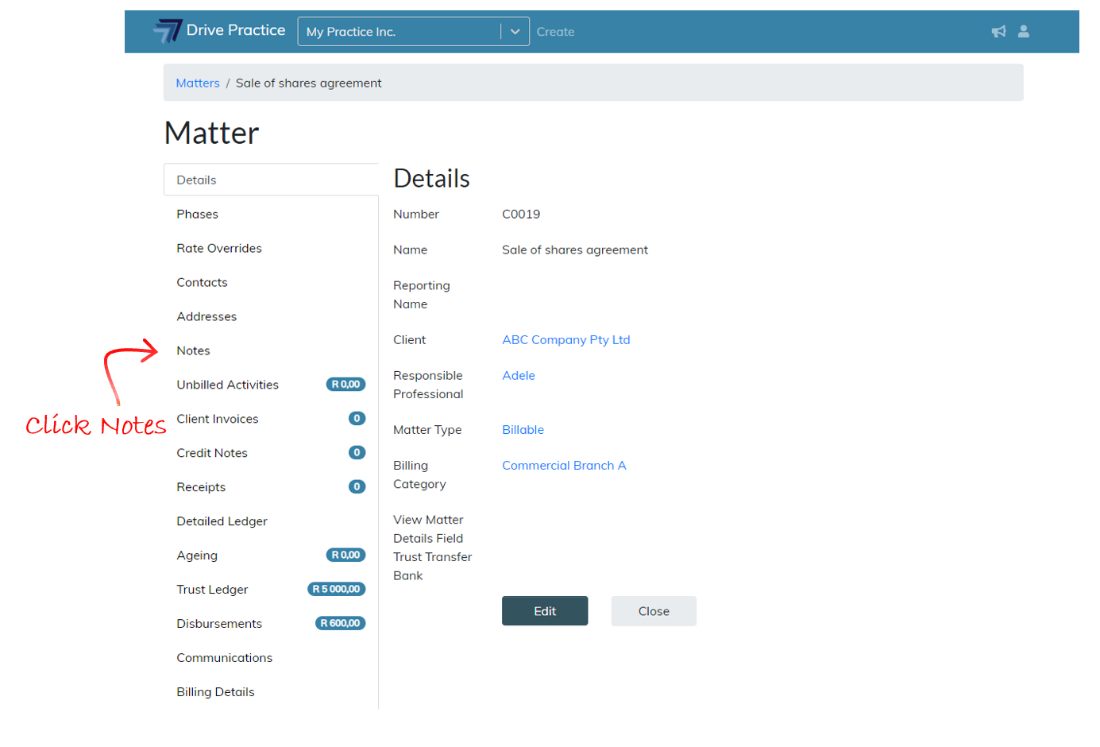
In the Matter page, click on the Notes tab on the left which will open the Notes List screen on the right.
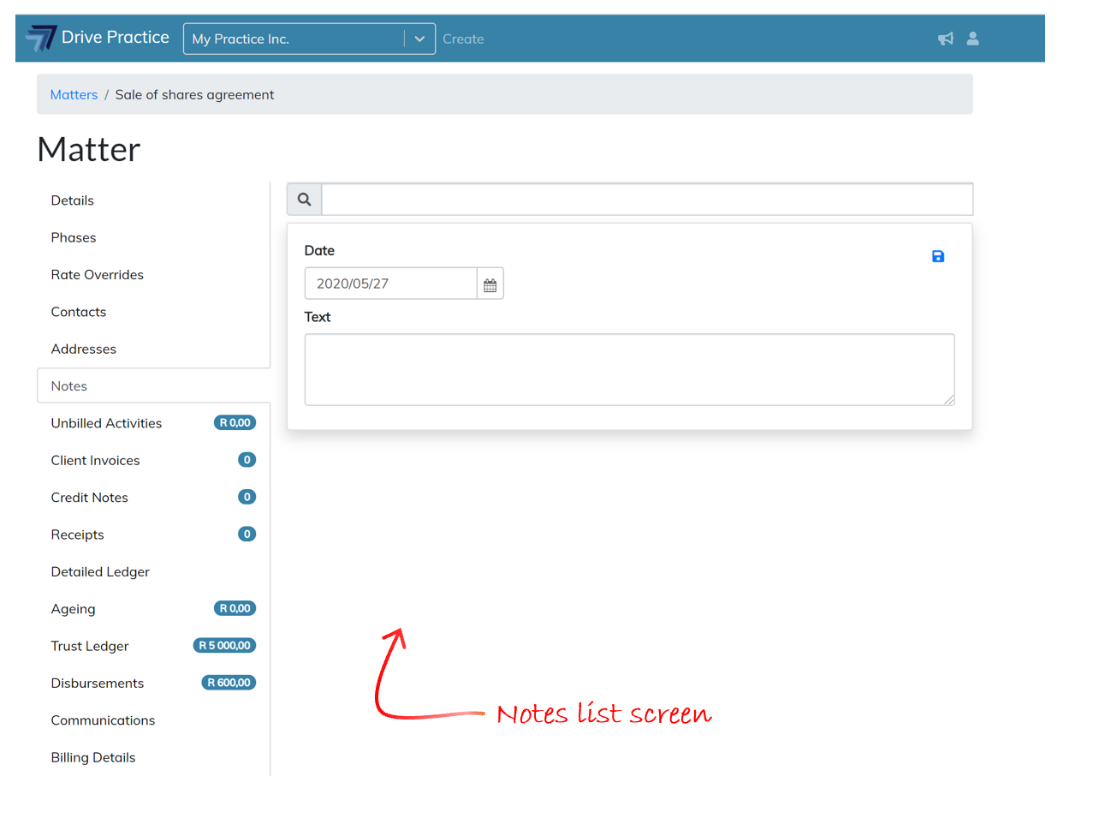
Notes List Screen
In the Notes List screen notes can be viewed, added, edited and deleted. All notes will automatically be sorted by date having the latest note at the top.