Delete Note - Drive Documentation
Delete Note | Drive Documentation
Matter Notes Delete Note
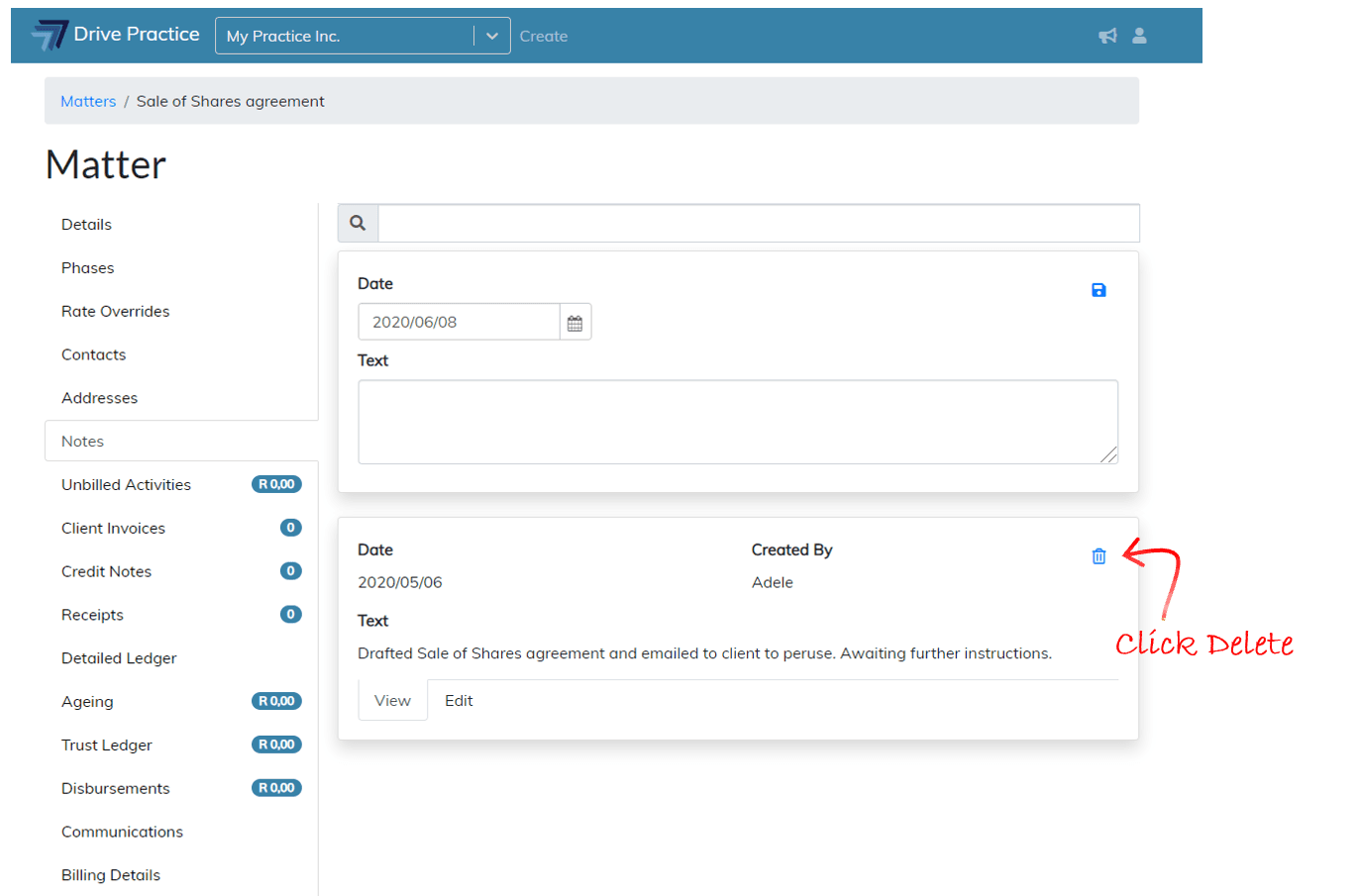
Delete To delete a Matter Note, click on the delete icon in the relevant note card.
A pop-up screen will appear asking for confirmation that the Note be deleted as the action cannot be undone.
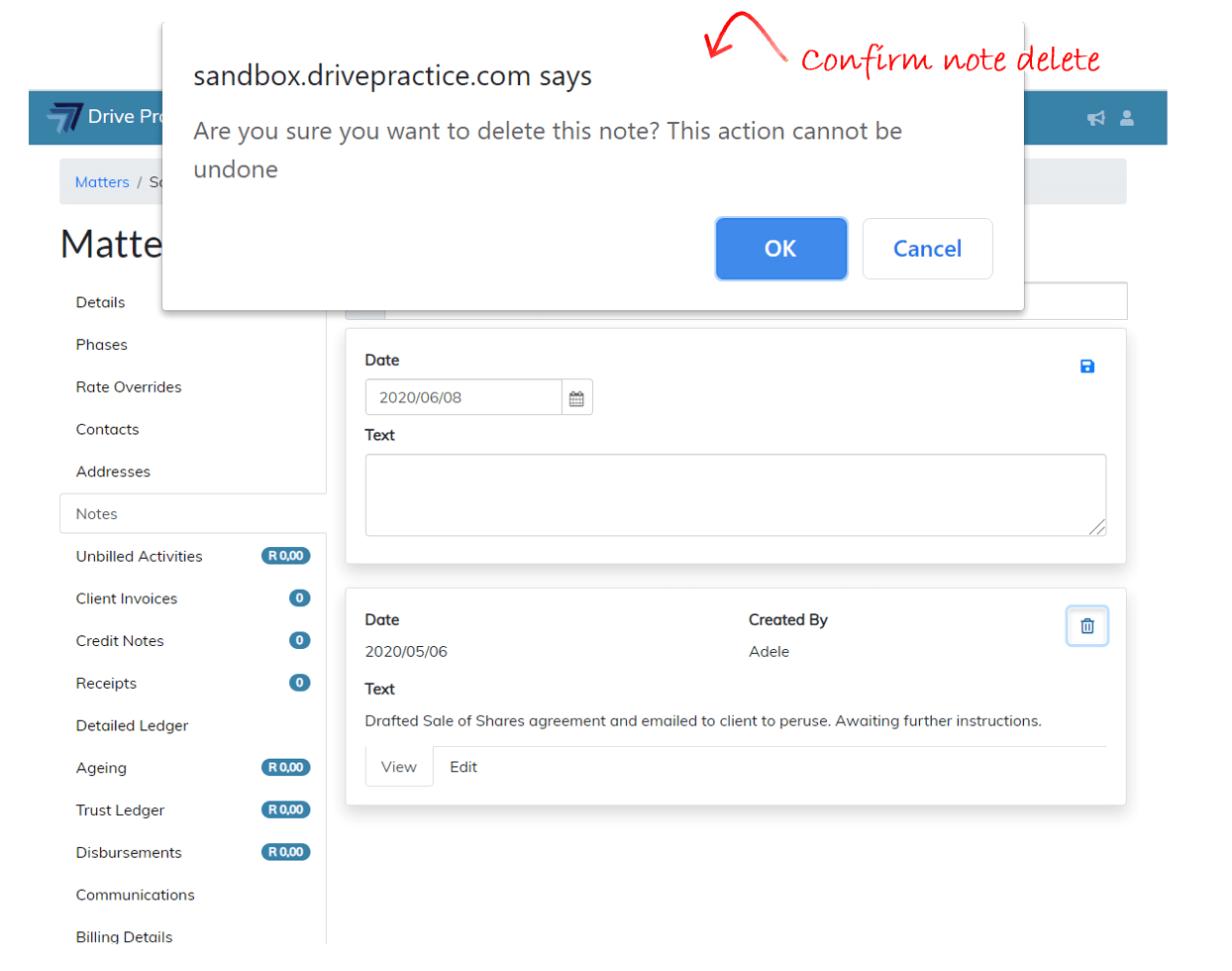
Click Ok to delete or Cancel to cancel deleting the note.